Is It Time to Upgrade to Cat6? Signs Your Data Wiring Is Out of Date
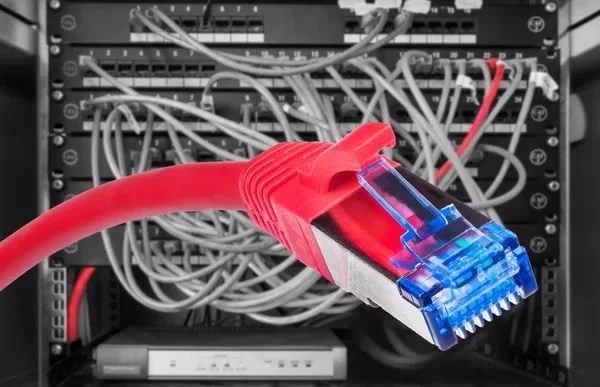
If your home in Long Island, NY struggles with dropped Zoom calls, buffering during movie night, or smart devices that only work “most of the time,” your cabling may be the bottleneck. Many houses in Nassau and Suffolk still rely on older Cat5e runs or tangled patch cords that were never tested. A professional data wiring upgrade can stabilize speed, reduce interference, and prepare your network for the next decade.
What Cat5, Cat6, and Cat6a Really Mean
Think of network cable like a highway for your data. Cat5e is a solid two-lane road that usually supports up to 1 gigabit. Cat6 is a wider, cleaner four-lane road that handles higher bandwidth with better shielding against noise. Cat6a is that same highway built for longer distances at top speed.
For most homes, Cat6 delivers a big step up in reliability and headroom. It is designed to reduce crosstalk, which is the electrical “chatter” between wires that can scramble your signal. Cat6a is thicker and stiffer, and it is often chosen for longer runs, media rooms with 10G needs, or when you want the most future-ready backbone.
Clear Signs Your Data Wiring Is Out of Date in Long Island Homes
Your Speed Tests Look Fine, But Devices Still Lag
It is common to see full speeds at the modem yet suffer slowdowns at your desk. Old patch cords, poorly terminated jacks, or Cat5e hidden in the walls can cause traffic jams between rooms.
Video Calls Freeze During Peak Hours
Even with strong internet, unstable cabling can drop packets when everyone in the house is online. If your calls freeze at 8 p.m. in Garden City or Huntington, it may be old cable, not just your provider.
Wi‑Fi Dead Zones Persist, Even With A Good Router
Modern homes often use wired backhaul for mesh systems. If the wire feeding your access point is outdated or noisy, the Wi‑Fi it serves will be inconsistent in bedrooms, basements, or attics.
Patch Panels And Closets Look Messy
Spaghetti cabling, unlabeled ports, and kinked jumpers are red flags. Clean, labeled, and tested terminations make your network easier to expand and troubleshoot.
Cameras, doorbells, and access points can pull power and data on the same line. Weak or noisy cable can cause random reboots, choppy video, or devices that never show “online.”
- Frequent buffering while streaming in Massapequa, Smithtown, or Babylon
- Gigabit plan but files crawl across rooms
- Printer or NAS disconnects when other devices are active
- Visible “Cat5” or “Cat5e” markings on in‑wall cable
If you see these patterns week after week, your cabling is likely the root cause. Upgrading is about stability as much as raw speed.
Why Cat6 Makes Sense for Most Long Island Homes Today
Cat6 offers strong noise rejection, better support for multi-gigabit networking, and headroom for new devices. Even if your provider tops out below 2 Gbps, a Cat6 backbone keeps internal transfers fast, so your home office, media server, and gaming consoles are not fighting for the same narrow lane.
Working from home is now normal across Long Island. If you share video calls with kids streaming 4K or gaming, Cat6 helps keep the experience smooth. In split-levels and colonials from Rockville Centre to Patchogue, it also handles typical run lengths without drama.
Cat6 vs Cat6a: Which One Fits Your House?
Choose Cat6 when most in‑wall runs are moderate, you want a clean upgrade, and you do not expect extra‑long cable paths. Pick Cat6a if you have a larger footprint with long attic or basement runs, plan for 10G to several rooms, or you want the most future‑proof main line to a media rack.
Ask your wiring service contractors to confirm cable ratings and certified test results after install. Proof beats guesses, and a test report gives you confidence the new lines meet spec.
What a Professional Data Wiring Upgrade Looks Like
You will not be asked to DIY. A licensed team handles planning, fishing, termination, and validation. Here is what a tidy process often includes from Wireman Cableman:
- Walkthrough to map rooms, locate existing paths, and identify interference sources
- Clear plan for cable routes that respect your home’s finishes and architecture
- Neat terminations at a compact panel or rack with labeled ports and patch cords
- Testing each drop so your devices see the speed you are paying for
For home offices, we often recommend two or more drops at the main desk location. That gives you flexibility for a computer, VOIP phone, and an access point without extra splitters. Media rooms benefit from multiple lines for streaming boxes, consoles, and smart TVs.
Long Island summers are humid, and coastal homes face salt air that can speed corrosion. Keep terminations out of damp basements and use quality jacks and patch panels so your network stays stable through the seasons.
Local Factors Across Long Island, NY That Affect Performance
Older homes in Hempstead, Oyster Bay, and Islip may have tight chases and mixed electrical work that raise interference. Finished basements common across Nassau and Suffolk can hide very long cable paths that push older cable past its comfort zone. Nor’easters and summer storms can expose weak cabling and poor terminations, leading to inconsistent connectivity after power events.
Poorly installed low‑voltage cabling can create safety and reliability issues. Choosing experienced wiring service contractors ensures cable pathways, bend radius, and terminations follow best practices for performance and durability.
How to Tell What You Have Today
Check the jacket printing on any visible in‑wall cable in a utility room or near your modem. It usually says Cat5e, Cat6, or Cat6a along with the manufacturer and rating. If you only see old flat patch cords or no markings at all, the safest assumption is that you are due for testing and likely an upgrade.
Do not ignore damaged jacks or water stains near cable runs. Moisture and corrosion can quietly degrade your network, even if the cable type is modern.
A Simple Path to Better Performance
Here is a straightforward way homeowners across Long Island get results without guesswork:
- Schedule a quick assessment so a pro can test the lines and inspect key runs.
- Decide on Cat6 for most rooms, and Cat6a for any unusually long or backbone runs.
- Bundle the upgrade with tidy labeling and a compact patch panel to keep things organized.
- Request certification results so you know every drop meets performance targets.
Want to dig into practical home networking ideas? Explore our latest articles on home tips for ways to plan device placement, think about access points, and keep your setup simple to use.
Where Cat6 Shines in Everyday Life
Upgraded cabling pays off in small daily wins. A parent in Huntington joins a video call while kids stream in 4K without pixelation. A small business owner in Smithtown saves time moving files to a NAS over wired Ethernet. Gamers in Massapequa enjoy stable ping when the house is busy. These are the moments when a modern wired backbone matters.
If you are adding cameras, smart locks, or ceiling access points, Cat6 provides cleaner power delivery for PoE devices. That reduces random reboots and keeps your smart home snappy.
Planning Your Upgrade With the Right Team
Clear communication matters. Look for a crew that explains cable paths, labeling, and mounting locations so you know exactly what to expect. If you want to expand later, ask for a few extra labeled ports or conduit access to make add‑ons painless. You can also review our broader electrical categories on our services to see how low‑voltage work pairs with other improvements around the house.
When you are ready to talk through options, reach out to Wireman Cableman at 516-353-1118. Our local team serves homes across Nassau and Suffolk and we keep the process clean, fast, and respectful of your space.
Ready to Upgrade Your Data Wiring Service in Long Island, NY?
If you are done with lag and want a network that just works, start with a short assessment. Learn how a modern Cat6 backbone can stabilize video calls, sharpen streaming, and power your smart devices. You can read more about our approach on our data wiring page, or connect with our office at 516-353-1118 to schedule a visit.
For an overview of who we are and how we work across the island, take a quick look at our data wiring service in long island information and other helpful resources.
Your home network should feel invisible. When your cabling is modern, everything else gets easier. With Wireman Cableman, you get a tidy install, labeled drops, and tested performance you can count on.
Call Us
Connect With Us
Leave a Review

Mount It, Wire It, Connect It! Contact Our Long Island TV Mounting & Cable Service Specialists Today!